Walldash Manual
Bring your home to life in live 3D. Walldash is the touch-first home automation dashboard for Home Assistant — zero Blender, zero YAML.
Walldash turns your house into a live 3D map of your smart home. Import your floor plan, place your devices, and control everything from a wall-mounted touchscreen or a tablet — no Home Assistant dashboard building, no YAML.
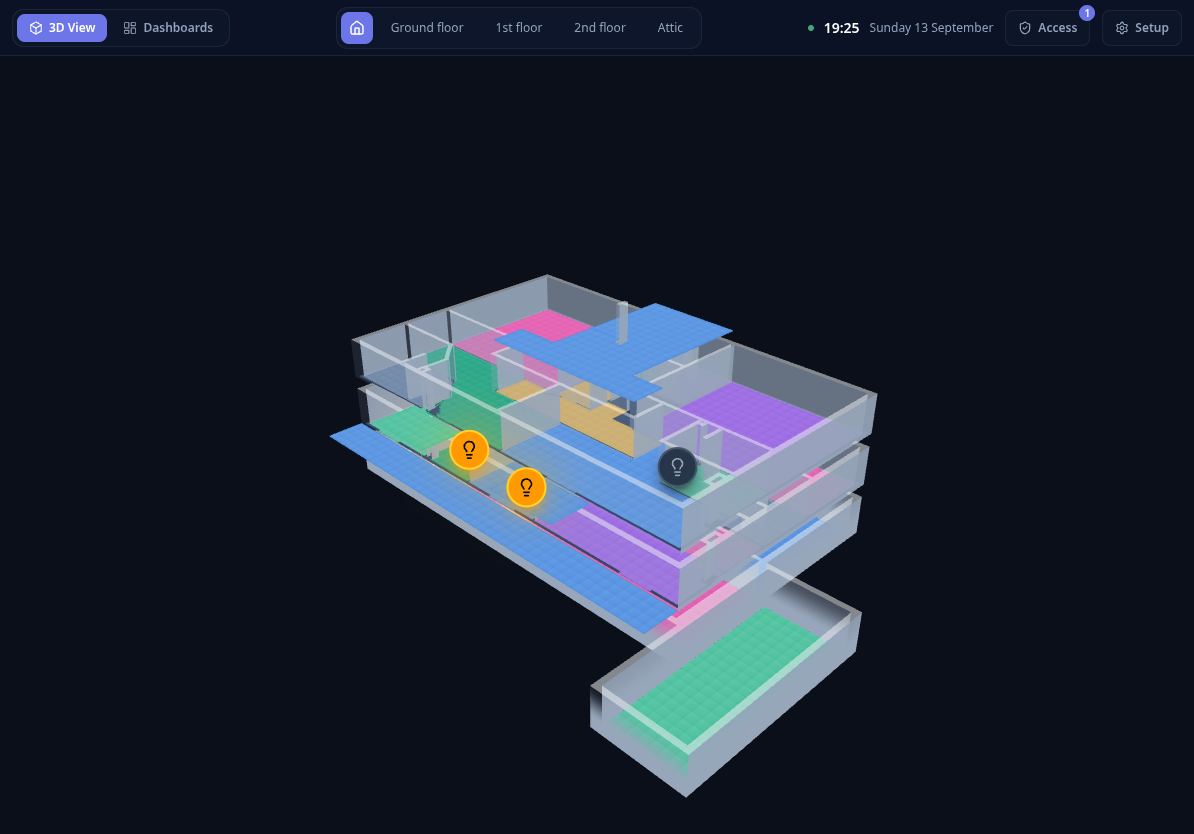
What you can do
- See your home in 3D. Each floor is rendered as an isometric model with walls, rooms and outdoor areas. Lights glow when they are on, and sensors float above the rooms they monitor.
- Control devices with a tap. Toggle lights, switches, plugs and appliances directly inside the 3D scene, or from a customizable dashboard.
- Draw your plan. Trace walls, create rooms and place doors and windows in the built-in 2D editor — or import an existing Sweet Home 3D file.
- Monitor sensors in space. Temperature and humidity readouts are projected onto each room, with comfort thresholds that pulse when a room gets too cold or too hot.
- Build touch dashboards. Compose grids of widgets — gauges, switches, sensor cards and favorite automations.
Where to start
Installation
Add Walldash to Home Assistant and open it on your first device.
Devices & access
Each tablet gets its own access, approved from the setup screen.
First run
Import your plan or start from a blank level.
Daily use
Learn the 3D floor view, layers and device controls.
Reading this manual. Every screenshot in this guide was captured from a demo home (an example Alpine hotel plan) using fake devices. No real Home Assistant installation is shown.